
Customer Review Editing lets a customer change an existing review through a secure email link. This feature is available on the Starter plan and higher plans.
How a customer gets an edit link
- The email that confirms review publication can contain an Edit Your Review button.
- If a customer tries to review the same product again, Reviewbird can offer to send an edit link.
- The customer receives the Edit Link Request email and selects the edit button in the email.
The link is unique to the review. Tell the customer not to share the link.
Configure the Edit Link Request email
- In the left menu, select Email Templates.
- Select Edit Link.
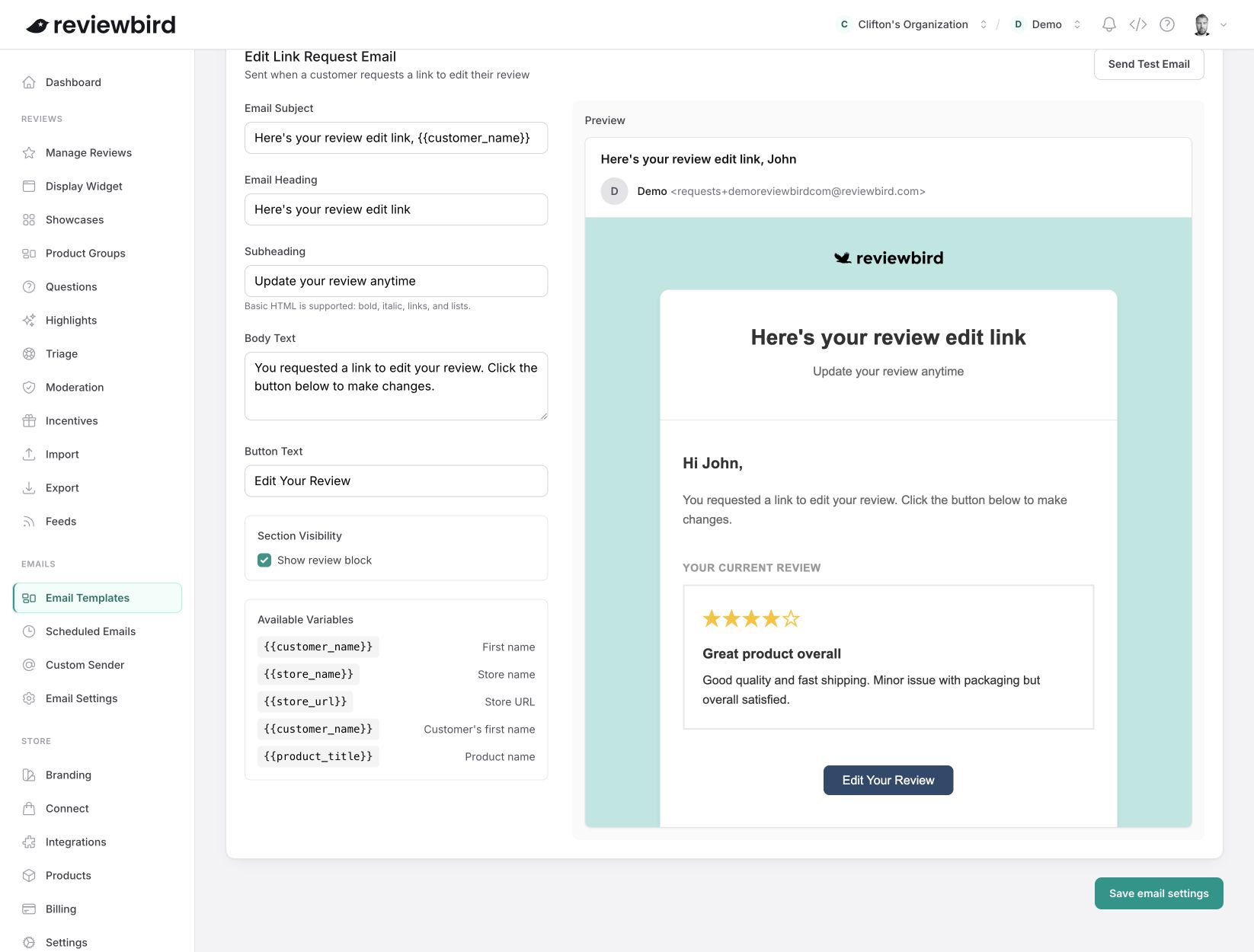
- Set the email subject, heading, subheading, body text, and button text.
- Select Show review block if the email must show the current review.
- Use the available variables only in the fields that support them.
- Check the preview.
- If necessary, select Send Test Email.
- Select Save email settings.
What a customer can change
- The customer can select from one to five stars.
- The title is optional and can contain up to 255 characters.
- The review text is required and can contain up to 5,000 characters.
- The customer can remove existing photos or videos.
- The customer can add media if the store plan and media settings permit it.
Each photo can be up to 10 MB. If the settings permit video, the video can be up to 100 MB. A review can contain only one video. The store plan and widget settings control the total media limit.
What happens after the customer saves changes
- Reviewbird saves the previous rating, title, and review text as a revision.
- Reviewbird moderates the changed review again.
- Reviewbird uses the moderation result and the store settings to set the new review status.
- If Reviewbird publishes the review, the changed content appears in public displays.
Reviewbird temporarily hides a published review while it processes the changed content. This process protects the store from content that a customer adds after publication.
Reviews that customers can edit
A customer can edit a review that has one of these statuses:
- Published
- Pending
- Moderating
A customer cannot edit a hidden, flagged, or pending-confirmation review.
If the customer does not receive an email
- Make sure that the store has the Starter plan or a higher plan.
- Make sure that the customer used the email address from the existing review.
- Make sure that the request is for the same store and product as the existing review.
- Check whether the customer email address is on the store blocklist.
- Ask the customer to check the spam folder.
- Open Scheduled Emails and search for the customer email address.
For customer privacy, Reviewbird can show a success message when no matching review exists. Reviewbird sends an email only when it finds an eligible review.