

Already have customers who could leave a review? You can send review requests for past WooCommerce orders, including orders placed before you started using Reviewbird.
Before you start
Connect your WooCommerce store and turn on Review requests in Collect. Check the messages and product rules before you send. Bulk requests use these settings, including your reminders and any Google Business Review requests.
See Automatic review request emails and reminders for help with these settings.
Request reviews from past customers
- Open Emails > Scheduled Emails.
- Select Request reviews.
- Choose a Cutoff date. Reviewbird will check orders placed on or after this date.
- Check the remaining request allowance shown in the dialog.
- Select Request reviews.
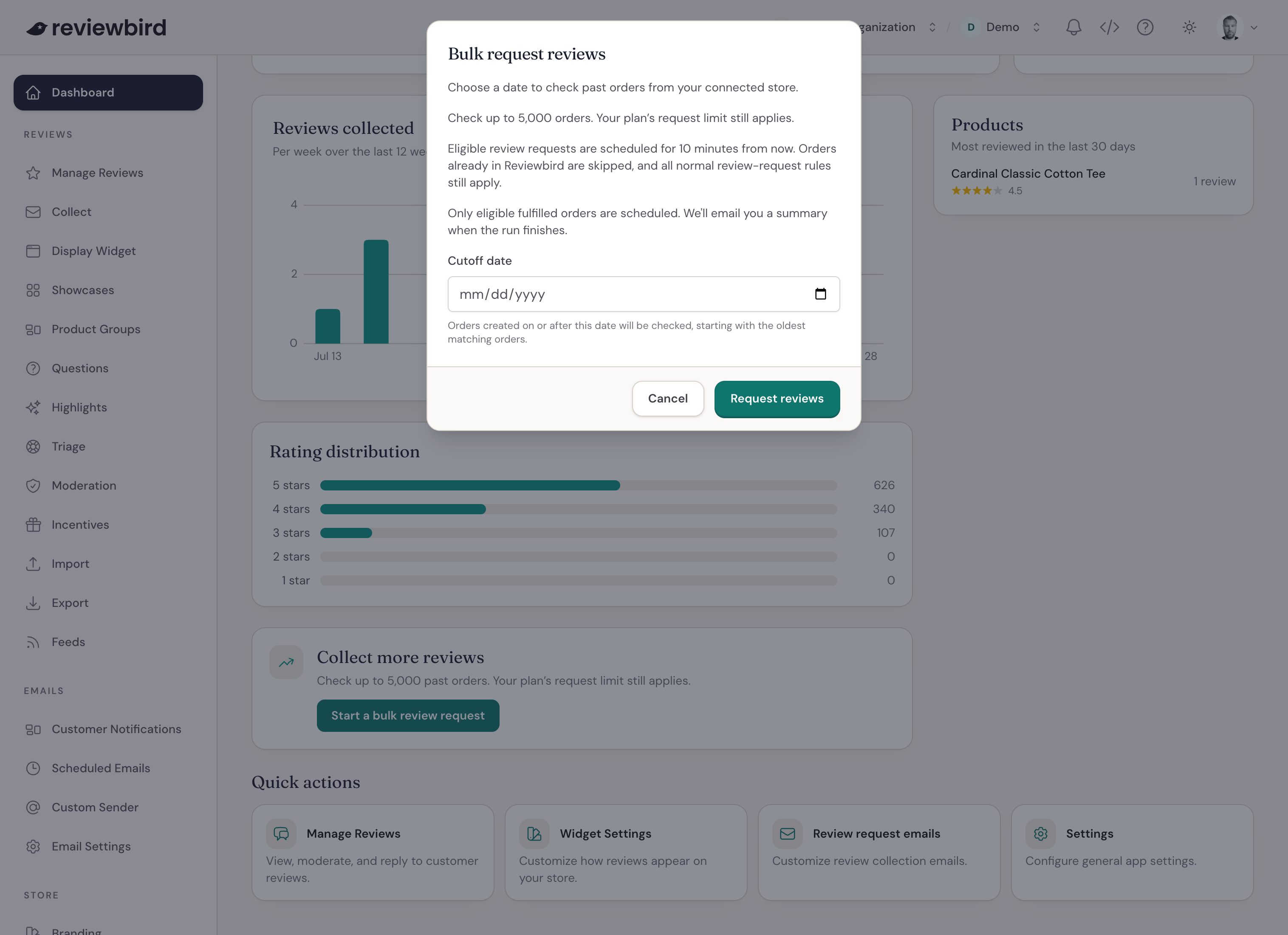
Reviewbird checks up to 5,000 orders, starting with the oldest. Each first request is scheduled for about 10 minutes after the order is checked. This replaces the usual first delay in Collect, including product delays.
Reminders follow your saved Collect schedule.
Check the results
You will receive an email when Reviewbird finishes preparing the requests. It shows how many orders were checked, how many requests were scheduled, and why any orders were skipped.
Open Emails > Scheduled Emails to preview or cancel an email before it sends. Use Collect > Results to see sent requests and customer responses.
Frequently asked questions
Why were some orders skipped?
Bulk requests follow your usual review request rules. An order must have a customer email address and the fulfillment status you selected in Emails > Email Settings.
Reviewbird skips canceled or refunded orders, customers who unsubscribed or are on your email blocklist, and orders excluded by your country or product rules. For product review requests, there must be at least one product the customer has not already reviewed.
Your plan's request limit also applies. The summary email explains which limits or rules affected the requests.
How far back can I send requests?
Requests must send within 90 days of fulfillment. An earlier cutoff date does not extend this period. Reviewbird skips requests that are too old.
Will customers receive the same request twice?
Reviewbird does not create a second review request for an order that already has one.
Why is the Request reviews button unavailable?
Make sure your store is connected, review requests are enabled in Collect, and you have requests left in your plan. You also need permission to edit the store.
If Reviewbird is already preparing a batch of requests, wait for it to finish before you start another.