Some negative reviews are good for business. Too many can be a problem. There are times when it may be advisable to try to intervene before a negative review is submitted. This is helpful for reputation protection but it also gives you the ability to turn an unhappy customer into a happy customer before they air out their grievance in front of future potential customers.
Enabling Review Triage
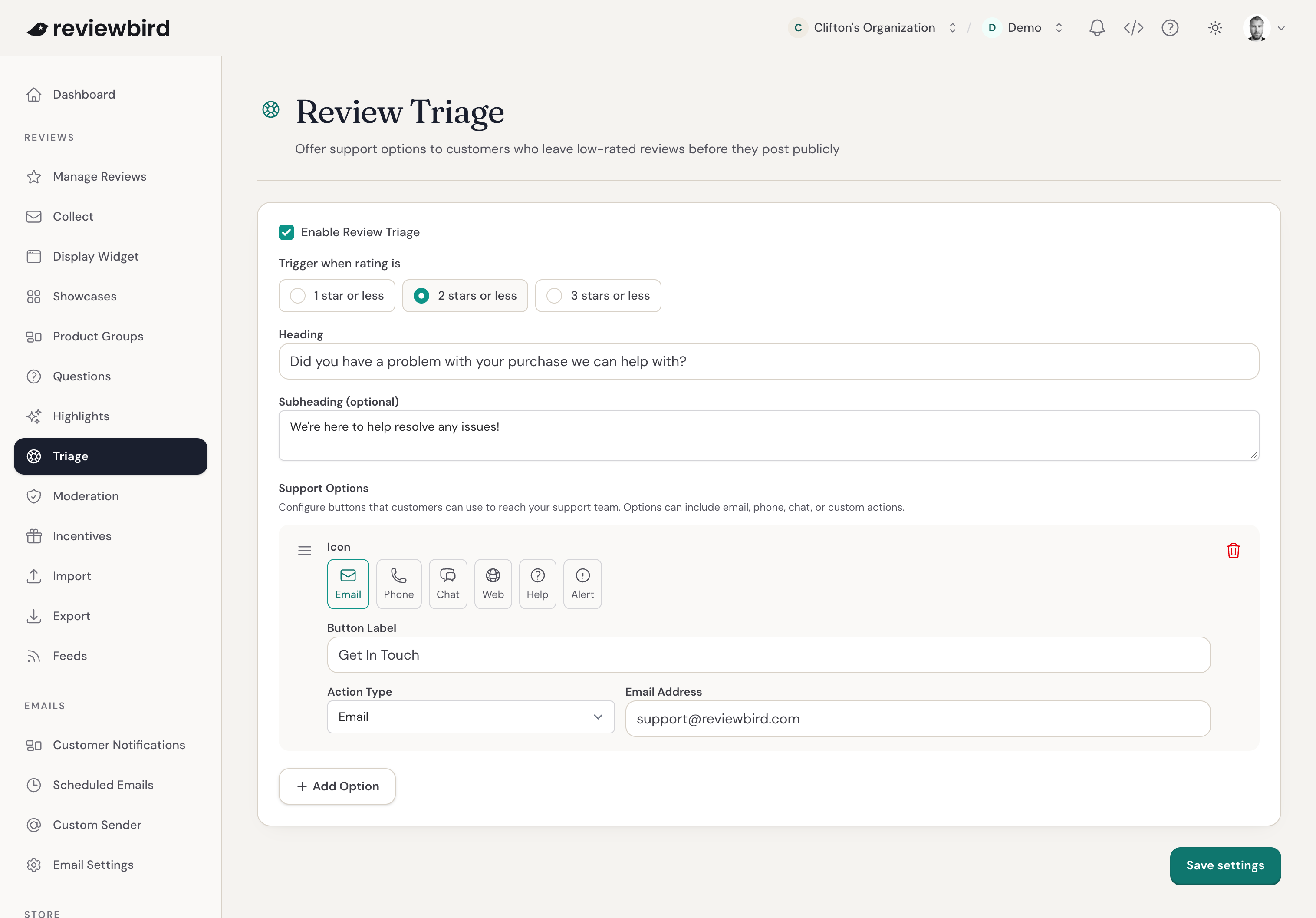
The Review Triage settings are available in the Reviewbird dashboard here: Reviews > Triage
Review Triage Options
There are several options for configuring Review Triage:
Rating threshold
Configure which reviews will be offered additional remedies based on star rating. Generally we'd recommend setting this to 1 or 2 stars.
Heading
The heading text a negative reviewer sees.
Subheading
Optional additional text.
Support Options
This is where you can offer options for getting help. Each option can have a different icon, label, and action type.
For example, you could offer the customer the ability to join a live chat, phone your customer support department, or send an email:
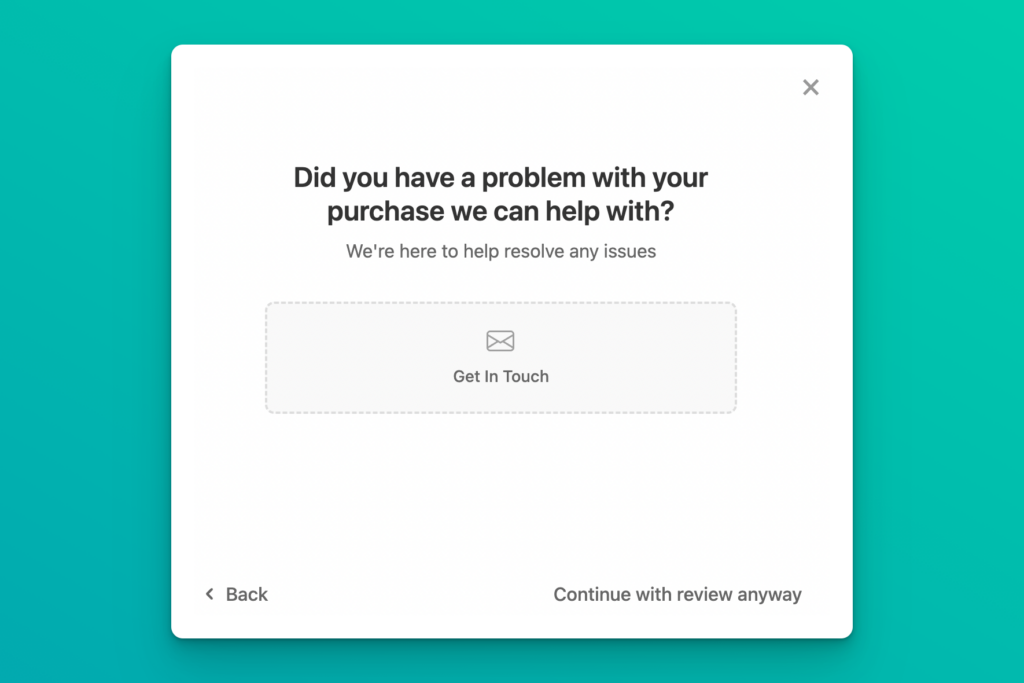
What Review Triage looks like to the customer
Here's a screenshot demonstrating what Review Triage looks like when customers start a negative review: