

Use your logo and colors to make Reviewbird emails and review pages look like part of your store. Open your store in Reviewbird and select Branding.
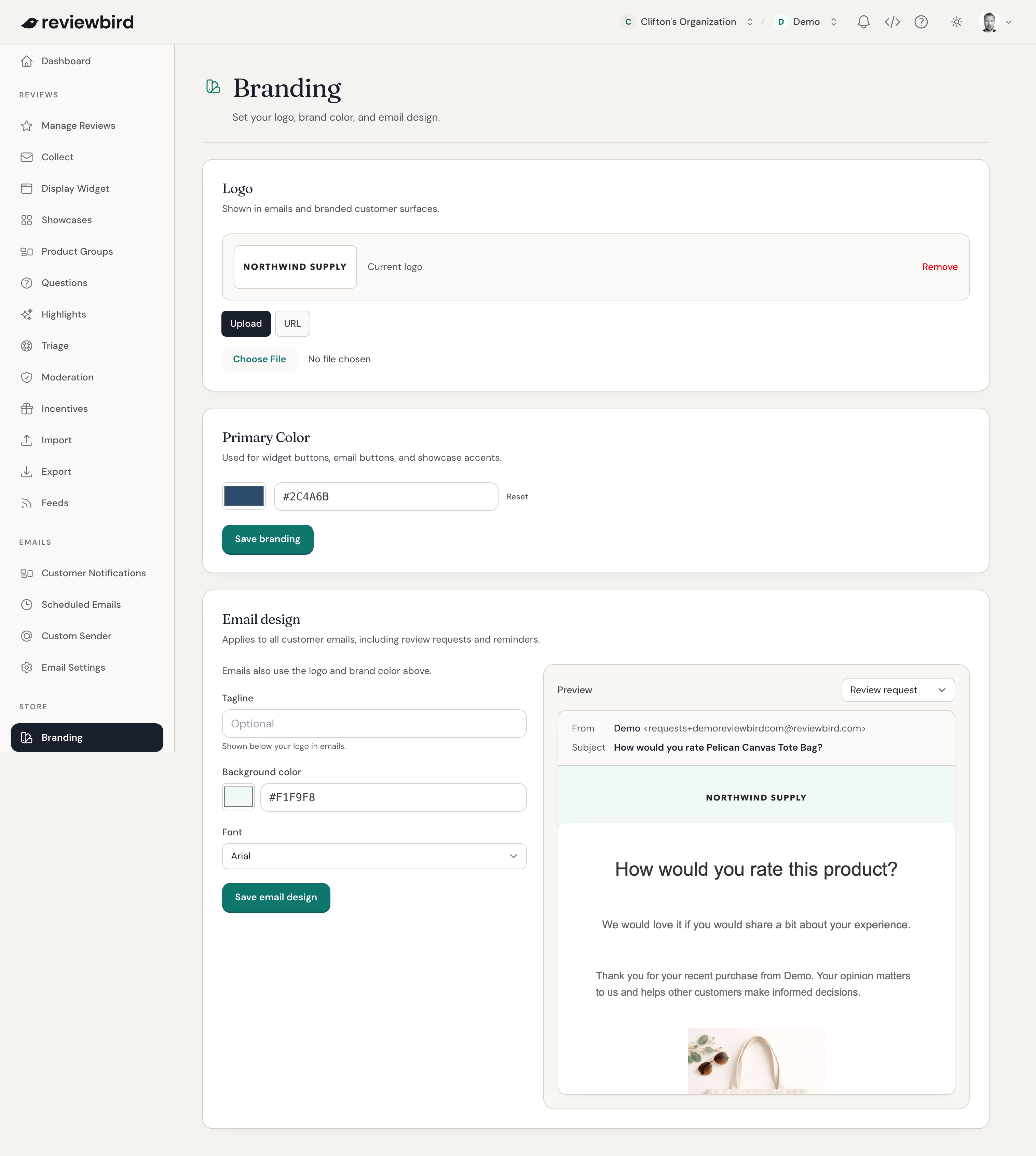
Add or remove a logo
Your logo appears in customer emails and review pages. To add or replace it, choose one of these options:
- Select Upload and choose an image file of 5 MB or less.
- Select URL, paste a link to the logo image, and select Save.
To remove a logo, select Remove beside Current logo.
Set the primary color
Primary Color controls buttons in your display widget and emails, and color details in your showcases.
- Choose a color, or enter your brand's six-digit color code, such as
#007cba. - Select Save branding.
To change the rating star color, open Display Widget. You can also choose it on the Brand step during setup.
Set the email design
The Email design section controls the appearance of your customer emails, including review requests and reminders. They use the logo and primary color above.
- Add a Tagline if you want a short line of text below your logo. You can use up to 100 characters.
- Choose the email Background color and Font.
- Use Preview to check a Review request or Review published email.
- Select Save email design.
To change what a review request says or when it sends, open Collect.
FAQ
What does Reset do?
Reset restores the primary color that was saved when you opened the page. Use it to undo a color change before you save.
Which link should I use for my logo?
Use a direct https:// or http:// link to the image. A link to a page that contains the logo will not work. If you are not sure which link to use, save the image to your computer and choose Upload.