

New in Reviewbird: Store reviews, widgets, and Product Q&A
Collect store feedback, choose five new review layouts, answer product questions, and help shoppers find relevant reviews with topic tags.
Reviewbird now gives you more ways to use customer feedback throughout your store. You can collect reviews about the buying experience, put reviews beside a buy button, answer product questions, and let shoppers find relevant reviews with topic tags.
What is new
- Store reviews collect feedback about delivery, service, and the buying experience.
- Five new custom widget layouts bring the total to ten.
- Product Q&A lets shoppers ask questions and read your published answers, or AI can answer from your reviews.
- Review Topics adds clickable topic tags so shoppers can find reviews about fit, comfort, durability, and more.
- A new photo strip for highlighting customer photos on product pages.
Collect reviews about your store
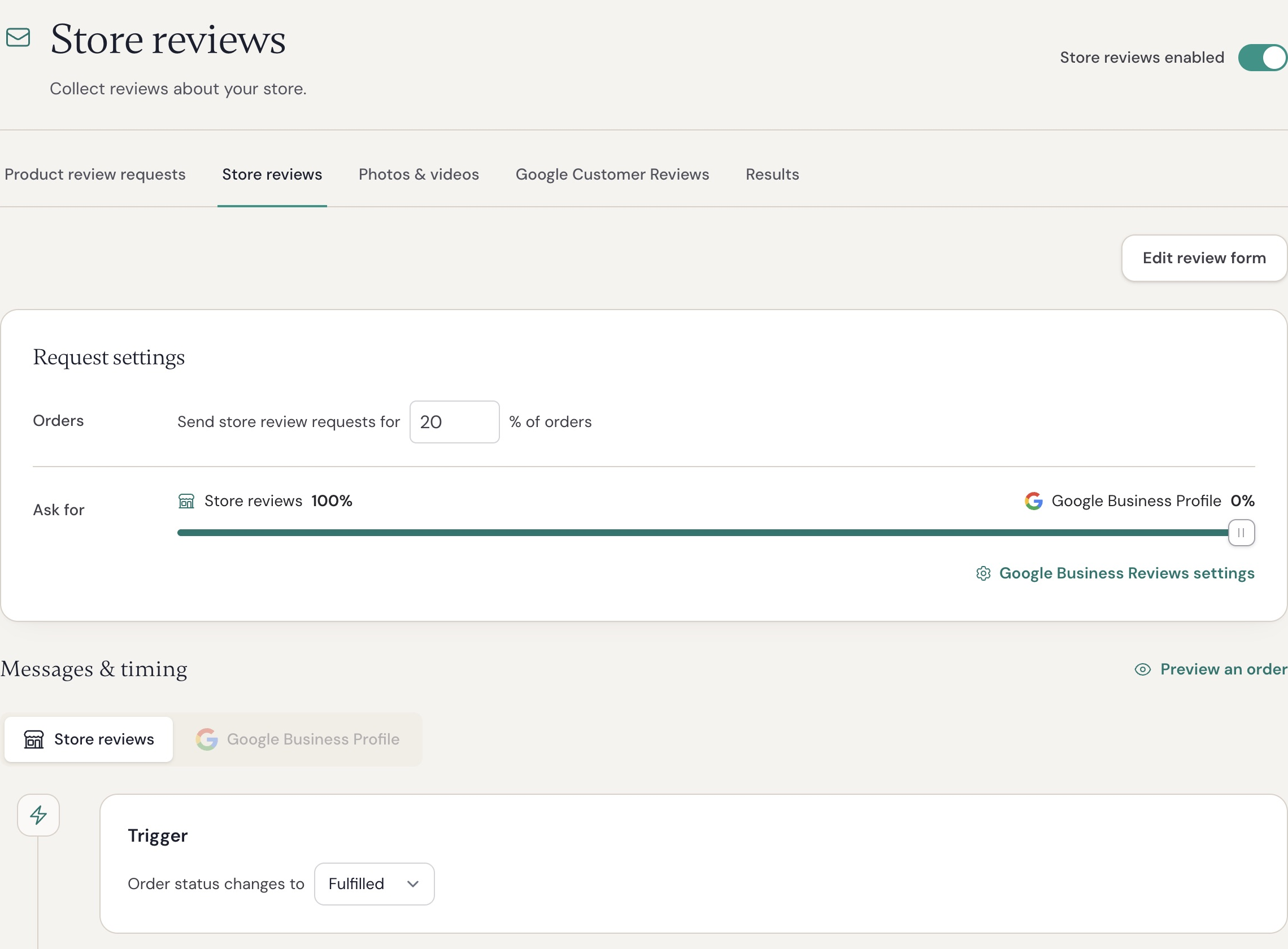
A product review answers “How did this product work for you?” A store review lets a customer describe the buying experience, including delivery, packaging, and support.
Open Collect > Store reviews to turn on store review requests. Choose the percentage of orders you want to send store review requests to. The remaining orders receive product review requests.
For example, you could have 80% of customers receive a product review request, while 20% receive a store review request. And if you also want to drive Google Business profile reviews, you can do that too as store reviews can be split between on-site store reviews (the ones you collect with Reviewbird) and your Google Business profile.
See the setup guide for WooCommerce store reviews.
We added brand new review widgets
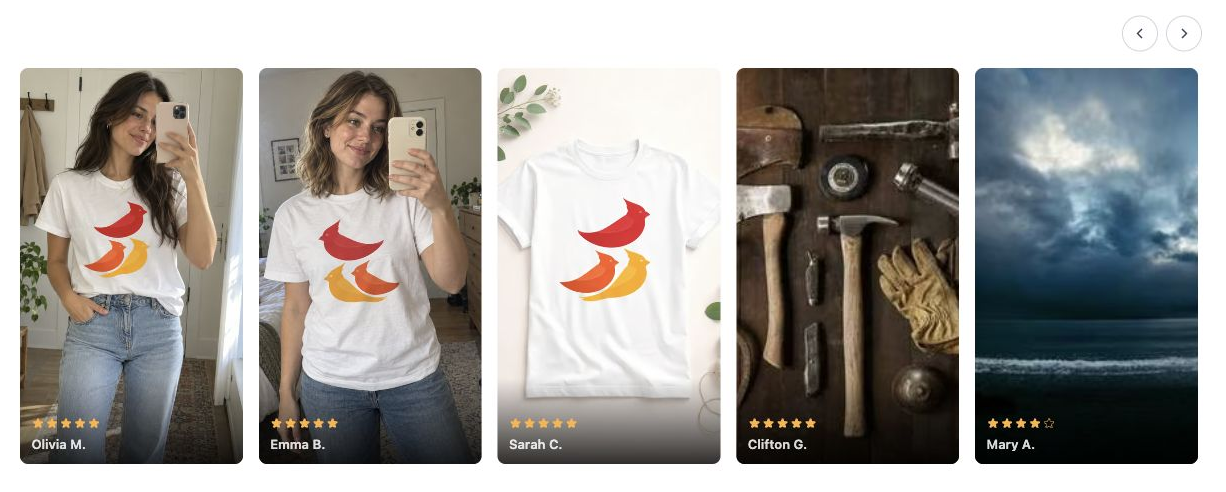
*The Photo Carousel on our Widget Demos page.
We added five layouts:
| New layout | What it does |
|---|---|
| Buy Button Nudge | Shows one rotating line beside a purchase control. Its fixed height keeps changing quotes from moving the button. |
| Review Dock | Shows a floating rating and quote. Shoppers can open a review drawer without leaving the page. |
| Photo Mosaic | Presents customer photos and videos in a grid, with review text on hover. |
| Pull Quotes | Shows large review text using the page font and text color. |
| Photo Carousel | Shows portrait photos and videos in a row that shoppers can swipe or drag. It can also scroll automatically. |
These join Slider, Grid, Ticker, Hero, and Review Wall. All ten layouts are included on paid plans. Photo layouts need reviews with media, and your plan still determines photo and video access.
Most widgets can also display store reviews. The WooCommerce review widget guide explains the layout and placement options.
Show customer photos right at the top of the display widget
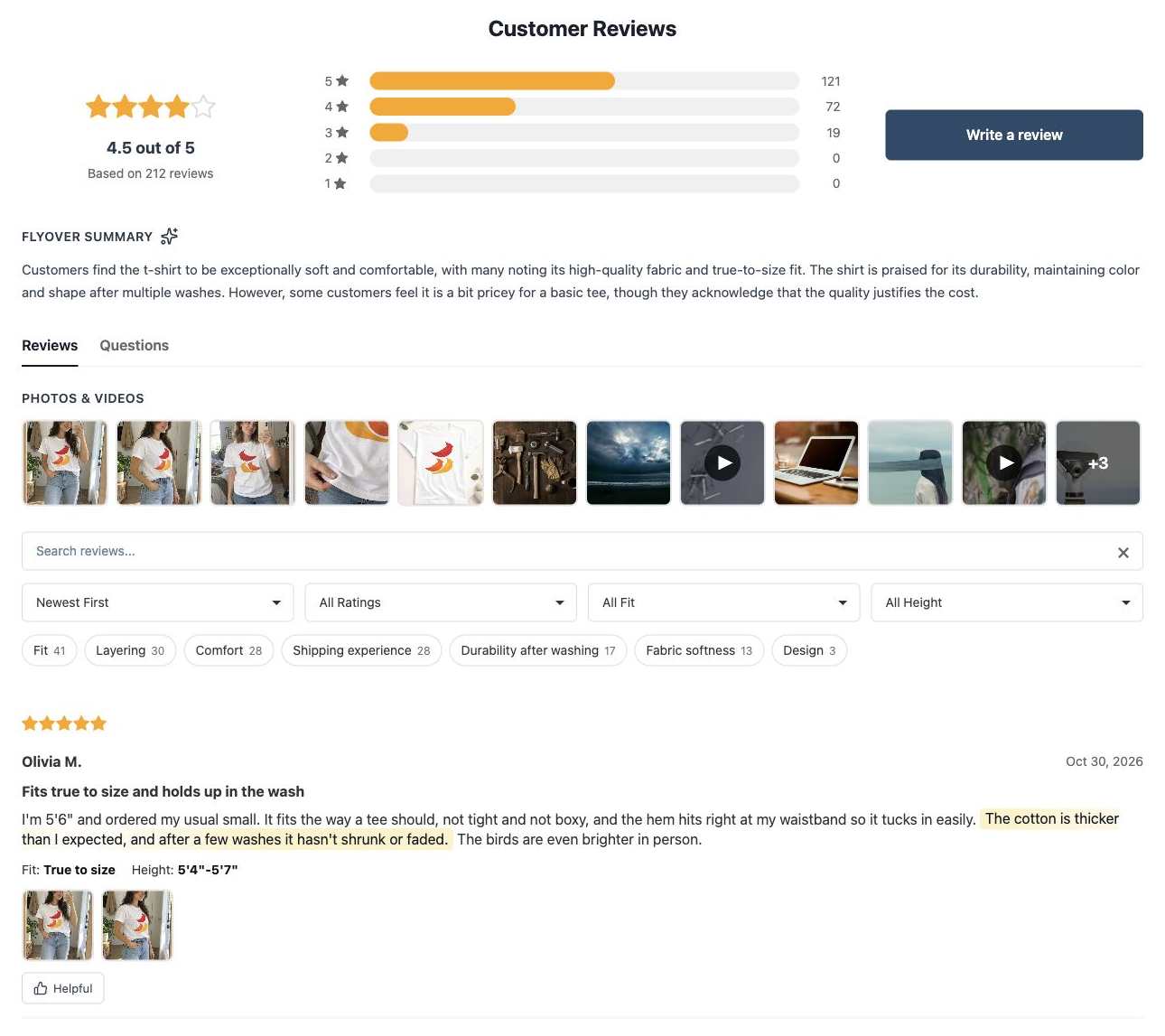
The Display Widget on our Cardinal Classic Cotton Tee demo
The Display Widget now includes an optional photo strip above your product reviews. Clicking a photo loads the associated review.
Make reviews more discoverable with topic tags
Review Topics serve two purposes. The first purpose is it helps your customers find the reviews that they care about quickly. But a second, equally important function is that it lets your shoppers see the types of things your reviewers are talking about at a glance. This might suggest to them things that they would never have thought about and when the reviews are favorable, that is added confidence to buy.
Review Topics are handled automatically with AI. If you don't like one of the topic tags, or think it needs a better name, you can simply rename it or hide it. We recalculate the topic tags from time to time, as the number of reviews grows.
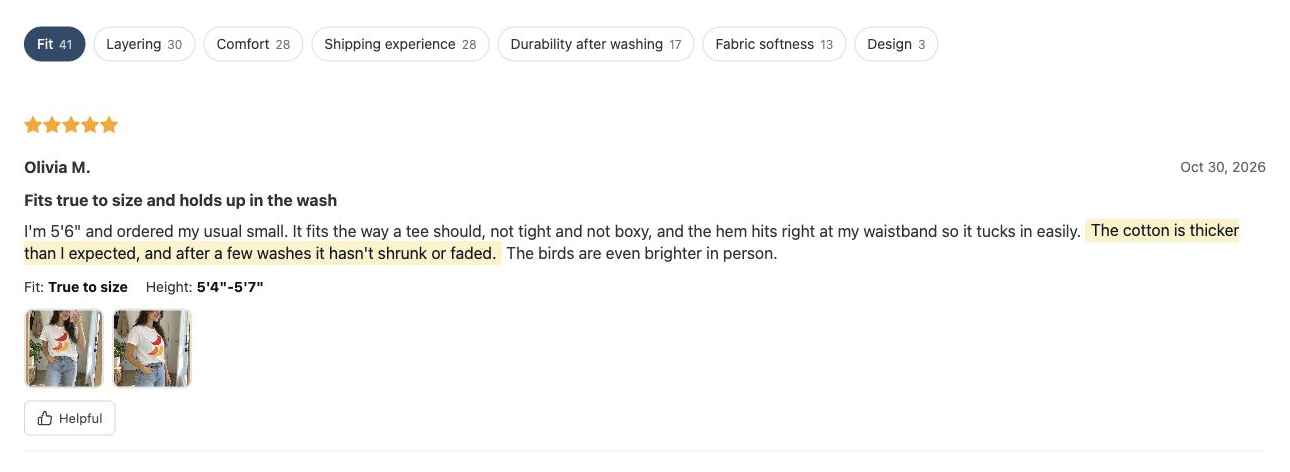
Selecting Fit filters the demo product's reviews to that topic. Each tag shows the number of matching reviews.
A product needs at least ten published reviews before topic discovery can start. Filters appear once there are at least two eligible topics, each with three or more matching published reviews.
See the Review Topics guide for WooCommerce for setup and display requirements.
Answer product questions before the purchase
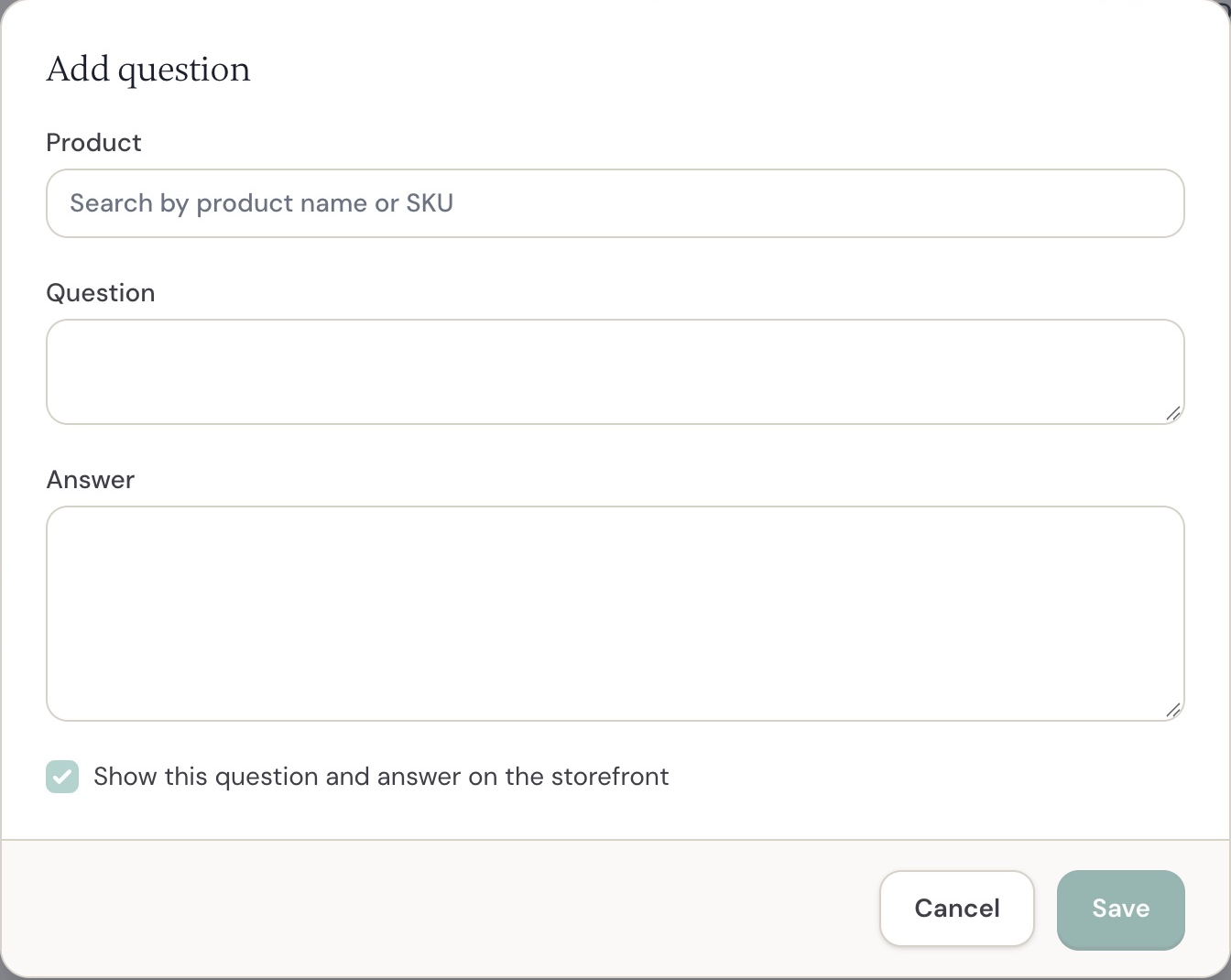
You can add questions and answers manually, or answer them after your customer asks a question.
Product Q&A allows your customers to ask questions about a product and get an answer. When you answer a question, the customer gets an email with the answer and you can choose to publish that answer on the product page.
You can also add common questions yourself or import from CSV. And just like everything else, the Q&A features work with product groups.
If you prefer to let your agent do the work, you can use the Reviewbird MCP to search questions and draft answers.
See Product Q&A for WooCommerce.
Use AI to prepare product answers
Answering questions manually is great, but most of the answers customers are looking for have already been answered in your customer reviews.
With Instant AI answers enabled, we use AI to search your reviews and provide an answer. And truthfully, it feels pretty magical to see it in action.
Of course, if they don't like the answer, they can post their question like normal. LLMs aren't perfect!
More to come
We're always thinking of ways to make product reviews better for WooCommerce merchants.
Have a great idea? Drop us a line and let us know!