

New in Reviewbird: Put your UGC on autopilot
Reviewbird can now turn your reviews and customer photos into social media posts and share them automatically to Facebook, Instagram, and X.
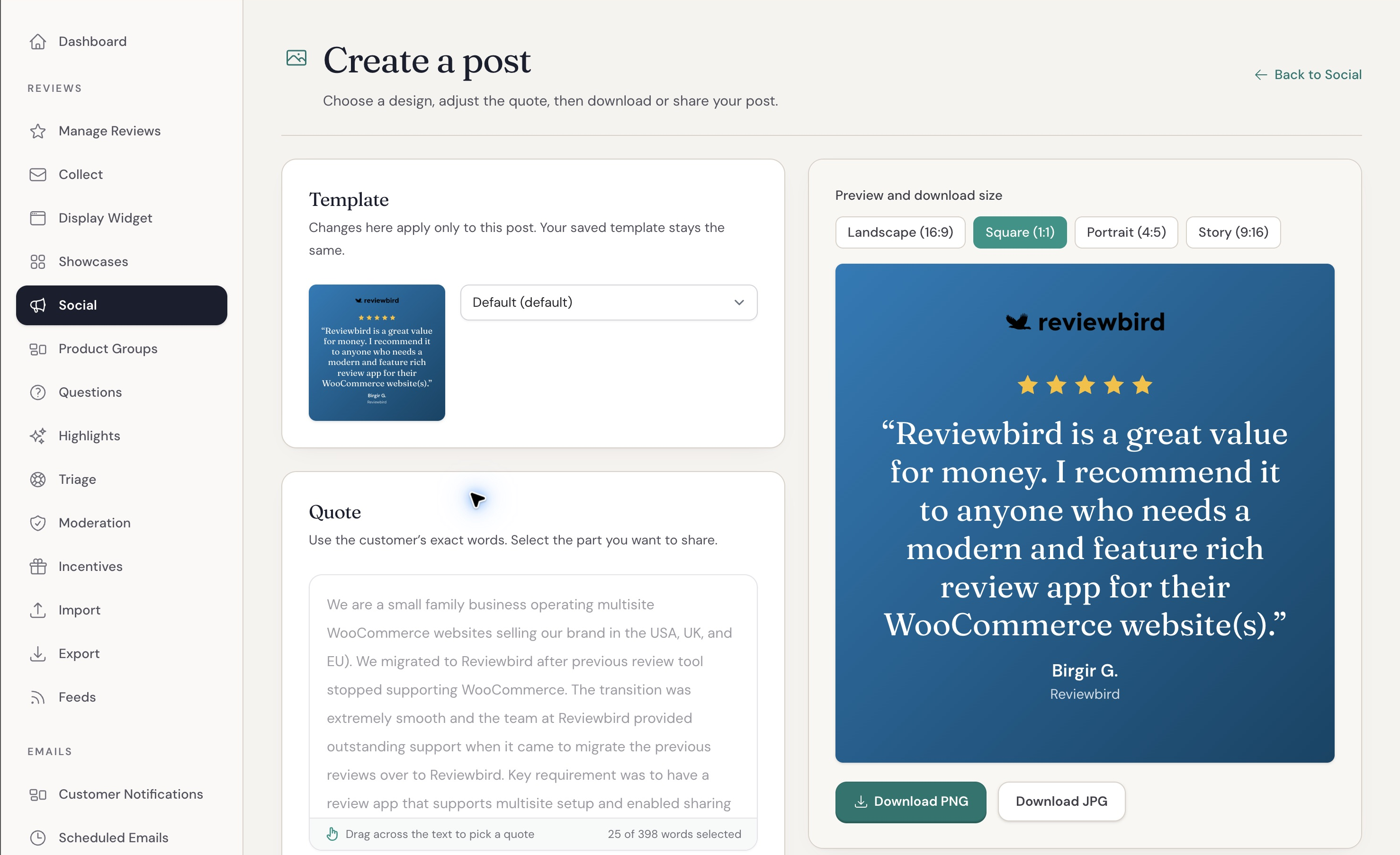
We've added social sharing to Reviewbird! You can now create images from your reviews and share them directly to Facebook, Instagram, and X.
The part we're most excited about is automatic sharing. You can choose which reviews to share and how often to post, and Reviewbird handles it from there, automatically.
If you're already collecting reviews and customer photos, you already have user generated content (UGC) to use in your marketing. But turning those reviews into social posts takes time, especially if you're making each image yourself. We want that to be something Reviewbird does for you.
Share reviews automatically on a schedule
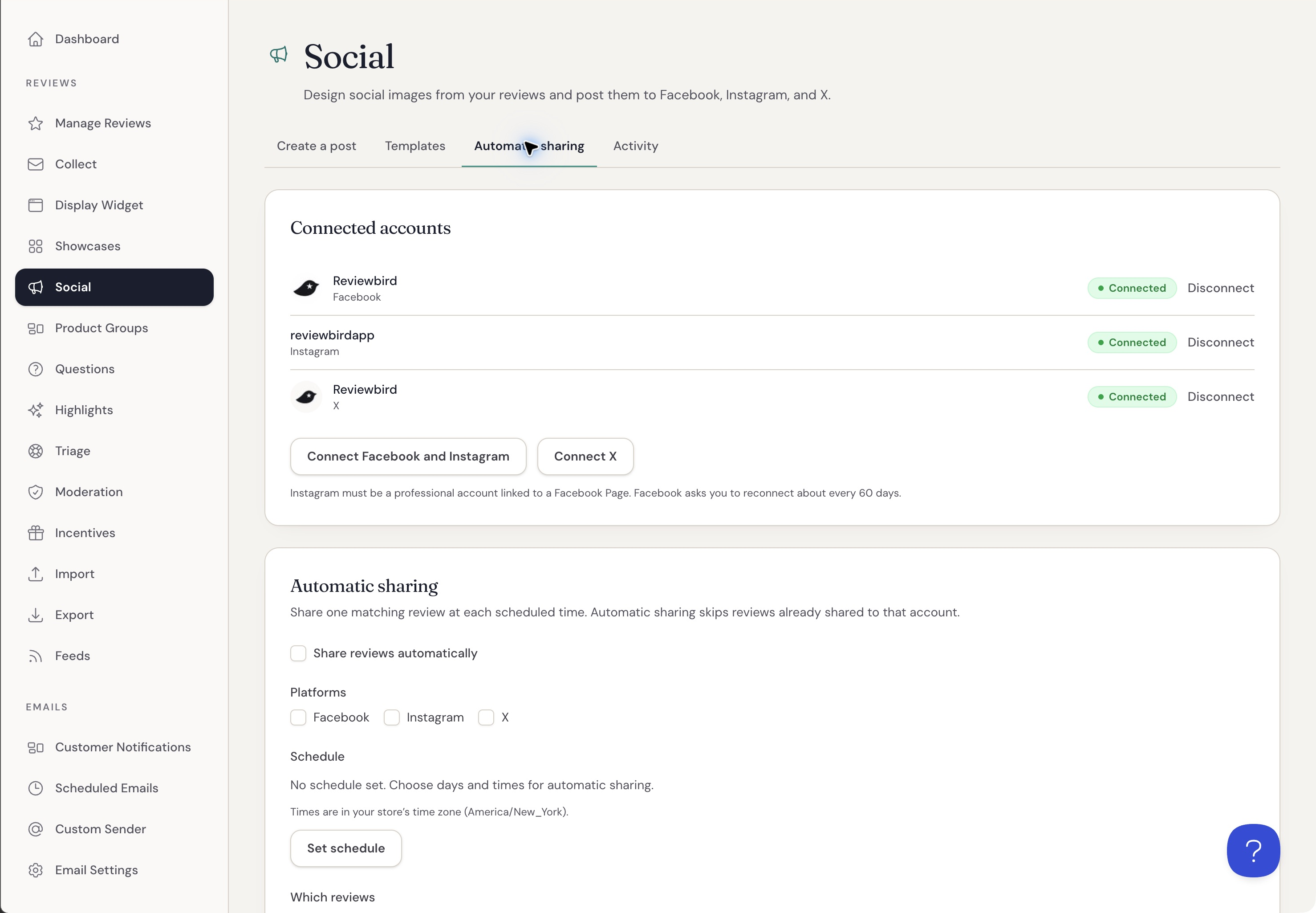
Connect your social accounts and choose the days and times you want to post. You can set a minimum star rating, require photos or verified purchases, and choose which products to include.
For example, you could share a five-star review with a customer photo twice a week. If you want to pick the reviews yourself, you can limit automatic sharing to reviews you've marked as featured.
Reviewbird selects a matching review for each account when it's time to post. It keeps track of what it has already shared, so it won't keep posting the same review to that account. If there isn't a review that meets your settings, it skips that time.
You can also include reviews you collected before connecting your accounts. Your existing reviews are useful here too!
This is what I mean by UGC on autopilot. Reviewbird can ask customers for reviews, collect their feedback and photos, and then share that content on your social accounts. Once you've set it up, you don't have to come back and make each post.
Design your posts in Social Studio
We've also added Social Studio, where you can turn a review into an image using your brand colors and fonts.
Select the part of the review you want to share, choose a layout, and adjust the design. You can use a customer photo or product image as the background. If you'd prefer to share the photo on its own, you can do that too.
Save your design as a template and use it for automatic sharing. Templates also include captions for each platform, with fields that insert details like the review quote and product link.
I like that you can spend some time getting the design right and then use it for future reviews. You shouldn't have to format the same post over and over.
Share a review yourself, too
You can still pick a review and share it right away. Open it in Social Studio, check the image and caption, and choose the accounts you want to post to.
You can also download PNG or JPG images in square, portrait, landscape, and Story sizes. Story images are for download, so you'll upload those yourself.
Try it out
You'll find the new features under Social in Reviewbird.
Social Studio, saved templates, and image downloads are included on Starter and higher plans. Connecting accounts, direct posting, and automatic sharing are included on Plus and Everything.
For the setup steps, see our social sharing guide.
I'm looking forward to seeing how you use this. If something would make it more useful for your store, please tell us. We're always looking for ways to make WooCommerce better.