

Product Q&A lets shoppers ask about a product and read your published answers. It is included with Plus and Everything. AI assistance requires Everything.
Show questions on product pages
- Open Widgets and select Configure for Display Widget.
- Enable Show the Questions tab on product pages in the Product Q&A settings.
- Save the widget settings.
- Check a product page with the Display Widget installed.
The Questions tab is off by default. Shoppers can read published answers, search questions, and use Ask a question to open the question form. Their email address is not shown publicly.
Answer a shopper
- Open Q&A in the sidebar.
- Select Unanswered or search the question or answer text.
- Open the question and write an answer.
- Select Show this question and answer on the storefront if it is ready for shoppers.
- Select Save.
Unanswered questions stay private. A question needs an answer before it can be published. Use Published and Hidden to manage answered questions. Hiding a question removes it from public view; deleting it is permanent.
The merchant can receive an email when a shopper asks a question. When you add the first answer, Reviewbird can email the shopper. Editing an existing answer does not send a new first-answer email. Check Admin Notifications and Customer Notifications > Q&A Answer to set the messages and recipients.
Add your own question
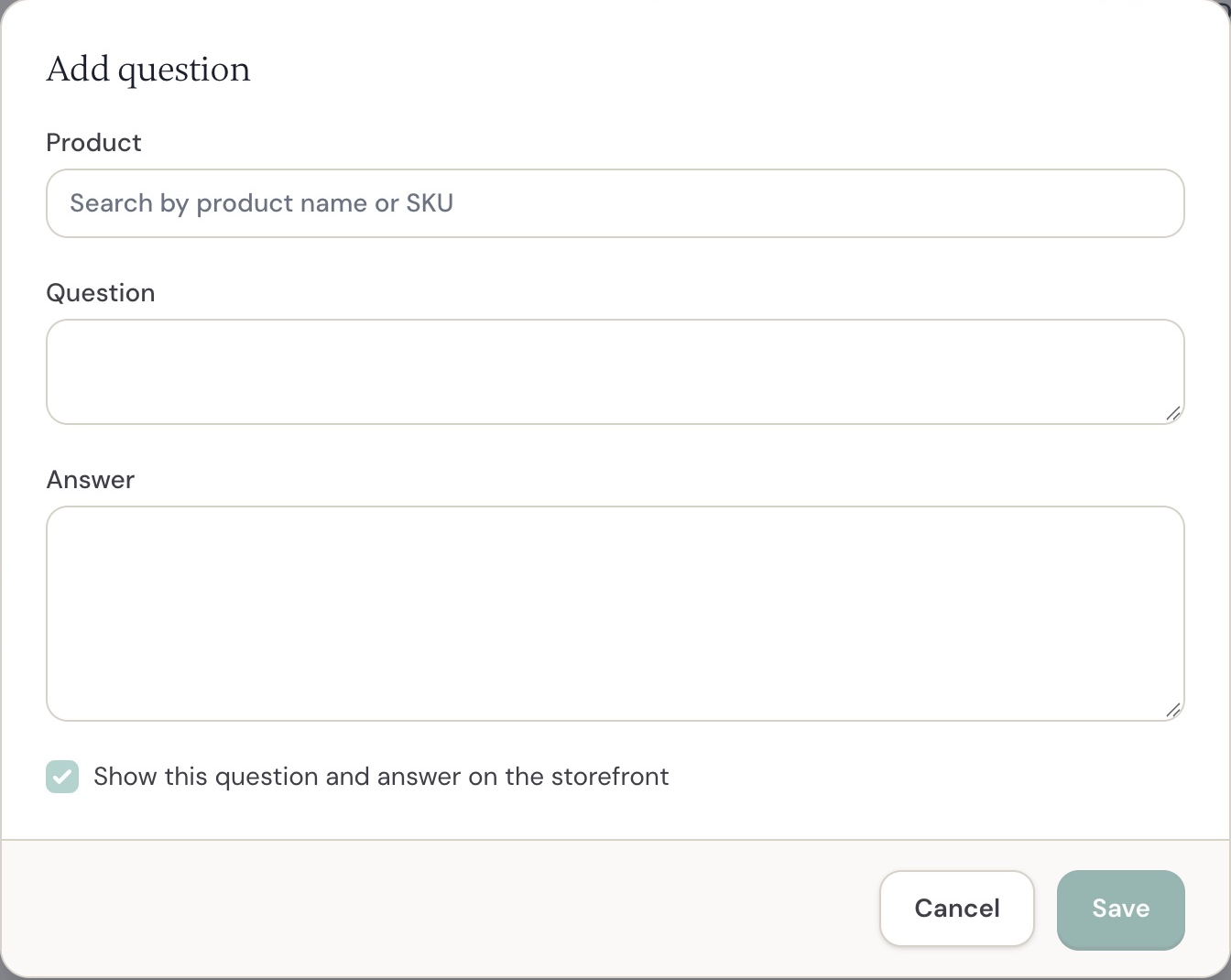
WooCommerce Add question form. Shopify uses the same Q&A workflow.
Select Add question, find the product by name or SKU, and enter the question and answer. Choose whether to show it on the storefront, then save.
Use this to answer common questions about size, care, compatibility, or setup. Do not include private order details in a public answer.
Draft answers with AI
On Everything, select Draft with AI in an answer form. Reviewbird uses the product reviews as source material. Check the text, correct it where necessary, and choose whether to publish it.
You can also select a product in Add question and use Draft questions with AI. Reviewbird prepares questions and answers from the product reviews for your approval. These drafts are hidden until you publish them.
A product needs at least two approved text reviews for FAQ generation. A run can prepare up to five drafts, with a maximum of ten AI-generated questions per product and a 30-day wait between generation runs. The system can return fewer drafts when the reviews do not support more.
Give shoppers an instant AI answer
Everything also has a separate instant AI answer option in Display Widget settings. This option is off by default.
When enabled, a shopper can receive an answer based on published product reviews and store answers before sending the question to your team. The response is labeled as AI-generated. If the sources do not answer the question, the shopper can ask the store.
An instant answer does not become a published Q&A entry. This feature includes 500 uncached instant-answer requests per store per month. A cached answer does not use another request.
Import and export questions
Select Import CSV on the Q&A page. Use Download example file for the expected format. It exports your current questions with the correct columns.
| Column | Content |
|---|---|
product_external_id |
Store product ID. Supply this or a SKU. |
product_sku |
Product SKU. Supply this or a product ID. |
question |
Required question text. |
answer |
Answer text. An empty answer remains unanswered. |
author_name |
Name of the person who asked. |
author_email |
Private email address of the person who asked. |
status |
published or hidden. Answered rows are published if this is empty. |
created_at |
Question date. If empty, the current date is used. |
Files can contain up to 2,000 rows and must be no larger than 2 MB. Rows with an unknown product or an exact duplicate question for the same product are skipped. Check the import result before you import again.
Use Export CSV to download your questions. Copies synchronized from another store are excluded from export.
Product groups, languages, and connected stores
Published questions can appear across products in the same product group. Questions and answers are translated for the store languages. New or edited translations can take time to appear.
Published questions can also synchronize between eligible stores in the same store group when their products match. Manage the original question in its source store. Store-group access and matching product setup still apply.
Use Q&A with an AI client
The Reviewbird MCP connection can search product questions and add the first answer. Access requires the Q&A plan feature. Write actions also need store permission, a user who can manage reviews, and MCP write access enabled.
Ask the AI client to show the question and proposed answer before you authorize a write. Saving the first answer can send the shopper an email even if you keep the Q&A hidden. Use the dashboard to edit an existing answer.