

Customers can update their rating, review text, photos, or videos through a secure email link. Review editing is included with Starter, Plus, and Everything.
How a customer gets an edit link
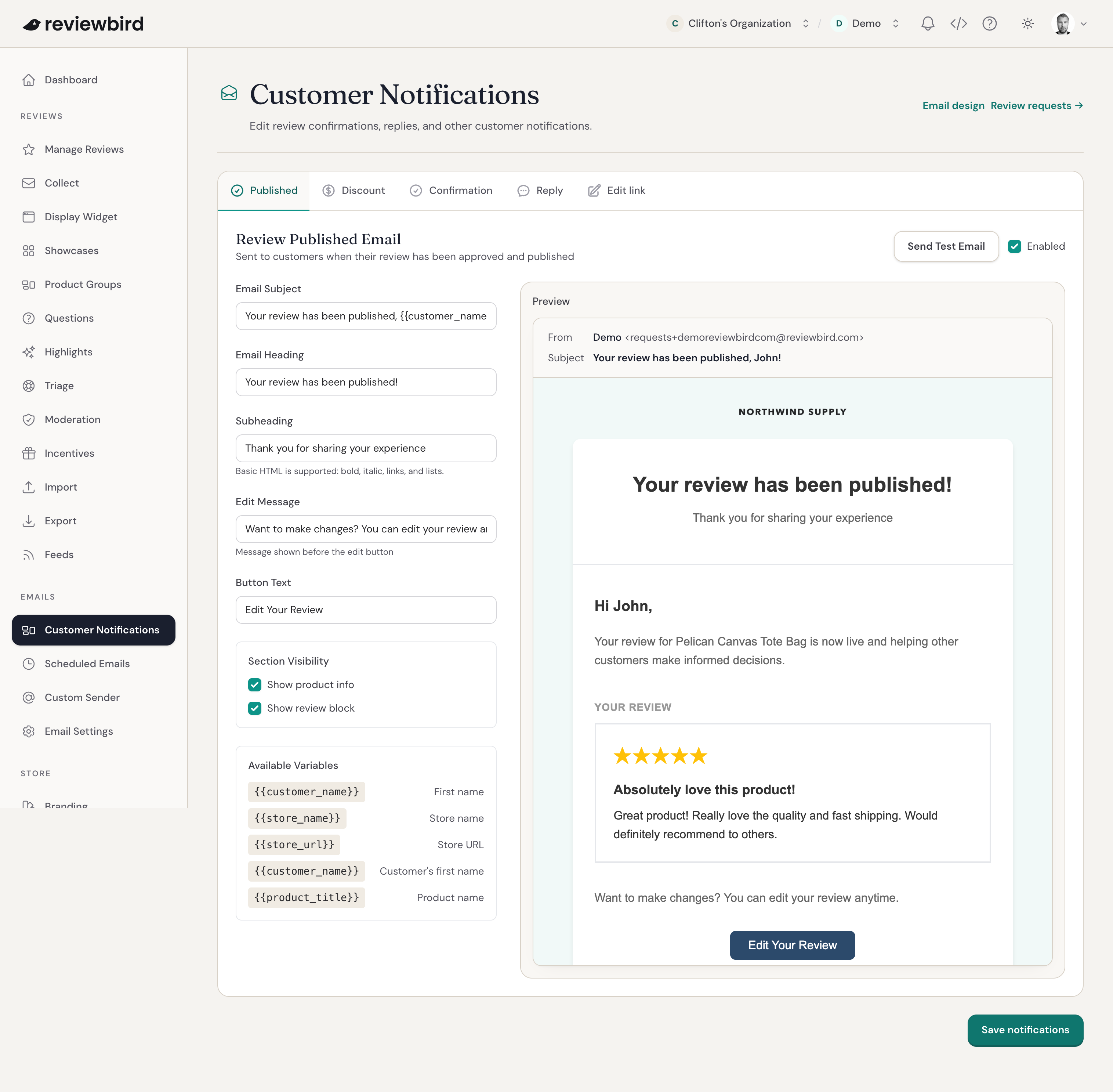
The review publication email can include an Edit Your Review button. Customers can also request an edit link when they try to review the same product again.
The customer opens the link, makes their changes, and saves the review. Each link gives access to one review, so customers should keep it private.
Configure the Edit Link Request email
- Open Customer Notifications > Edit link.
- Edit the subject, heading, subheading, message, and button text.
- Select Show review block to include the customer's current review.
- Check the preview. Select Send Test Email to check it in your inbox.
- Select Save notifications.
What happens after the customer saves changes
Reviewbird checks the updated review with your moderation rules. A published review is hidden during this check. Your moderation settings determine whether it is published again or waits for your approval.
Frequently asked questions
Which reviews can customers edit?
Customers can edit published reviews and reviews that are pending or being moderated. They cannot edit hidden or flagged reviews, or reviews that still need email confirmation.
What can customers change?
Customers can change the star rating, title, and review text. They can also remove photos or videos. The title can contain up to 255 characters, and the review text can contain up to 5,000 characters.
Starter allows one photo per review. Plus and Everything allow more photos and one video per review, within the limits you set in Display Widget. Each photo can be up to 10 MB, and each video can be up to 100 MB.
Why did the edit email not arrive?
Ask the customer to check their spam folder and use the same email address they used for the original review. The request must be for the same product and store.
In Reviewbird, open Scheduled Emails and search for the customer's email address. Also check whether that address is on your email blocklist.
For privacy, Reviewbird does not tell the person requesting the link whether a matching review exists. It sends the email only when it finds a review that the customer can edit.